Text, photos and files, straight to your other devices.
Peer-to-peer, from one of your devices straight to another: on the same Wi-Fi, across the internet, or over Bluetooth when there’s no network at all. FerryBeam finds the way by itself.
Free to download. No account. For iPhone, Android, Mac and Windows.
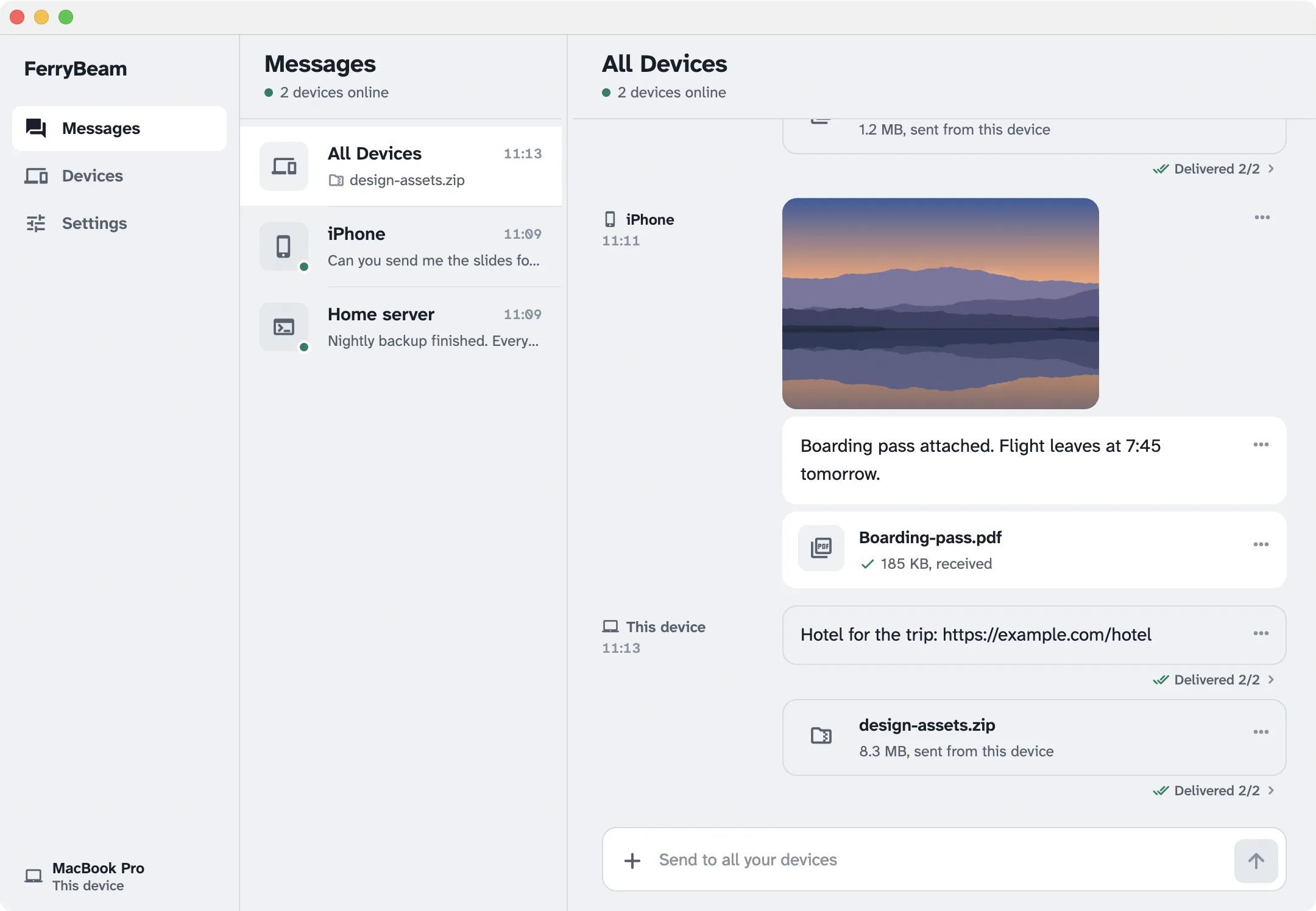
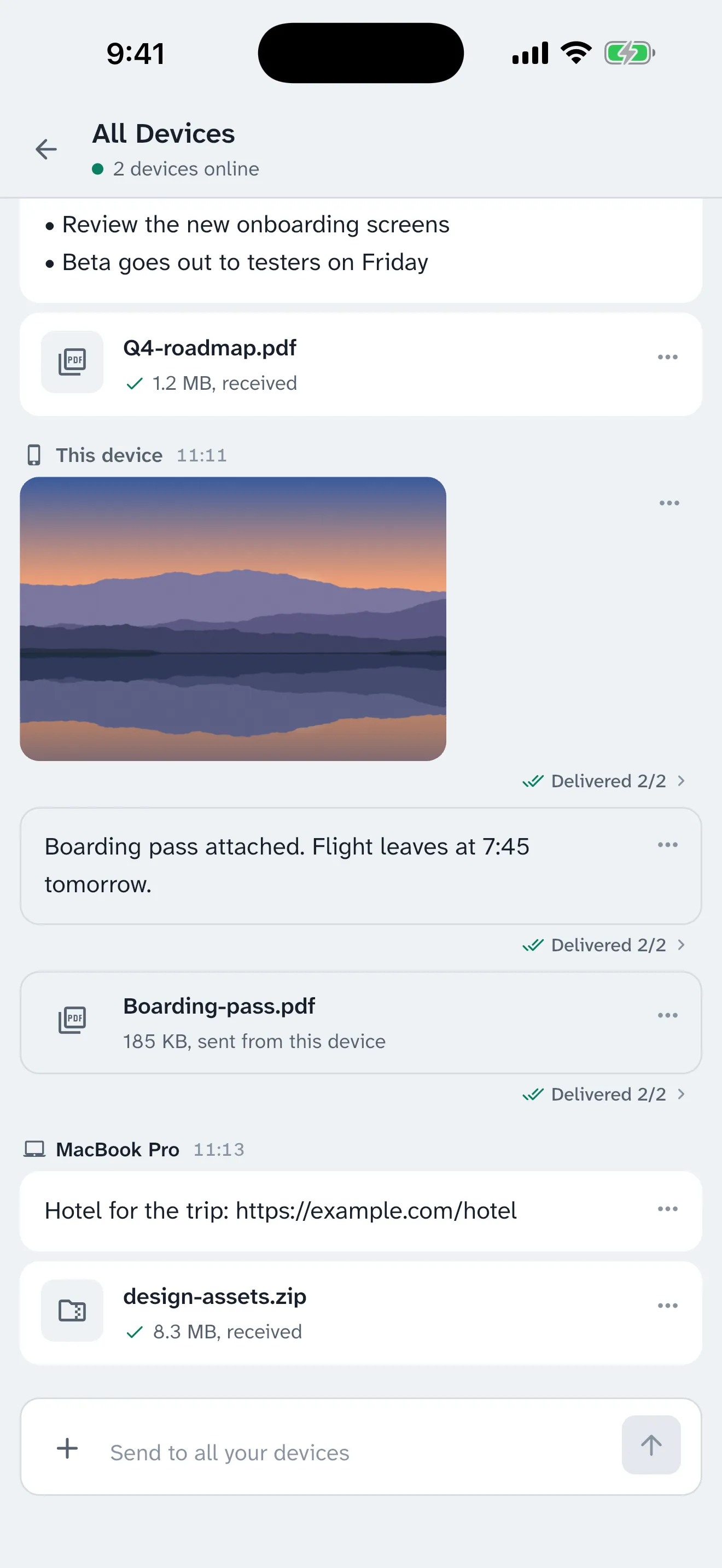
One conversation with all your devices.
Send to one device or to all of them at once. Every item shows whether it’s waiting, sent or delivered on each device.
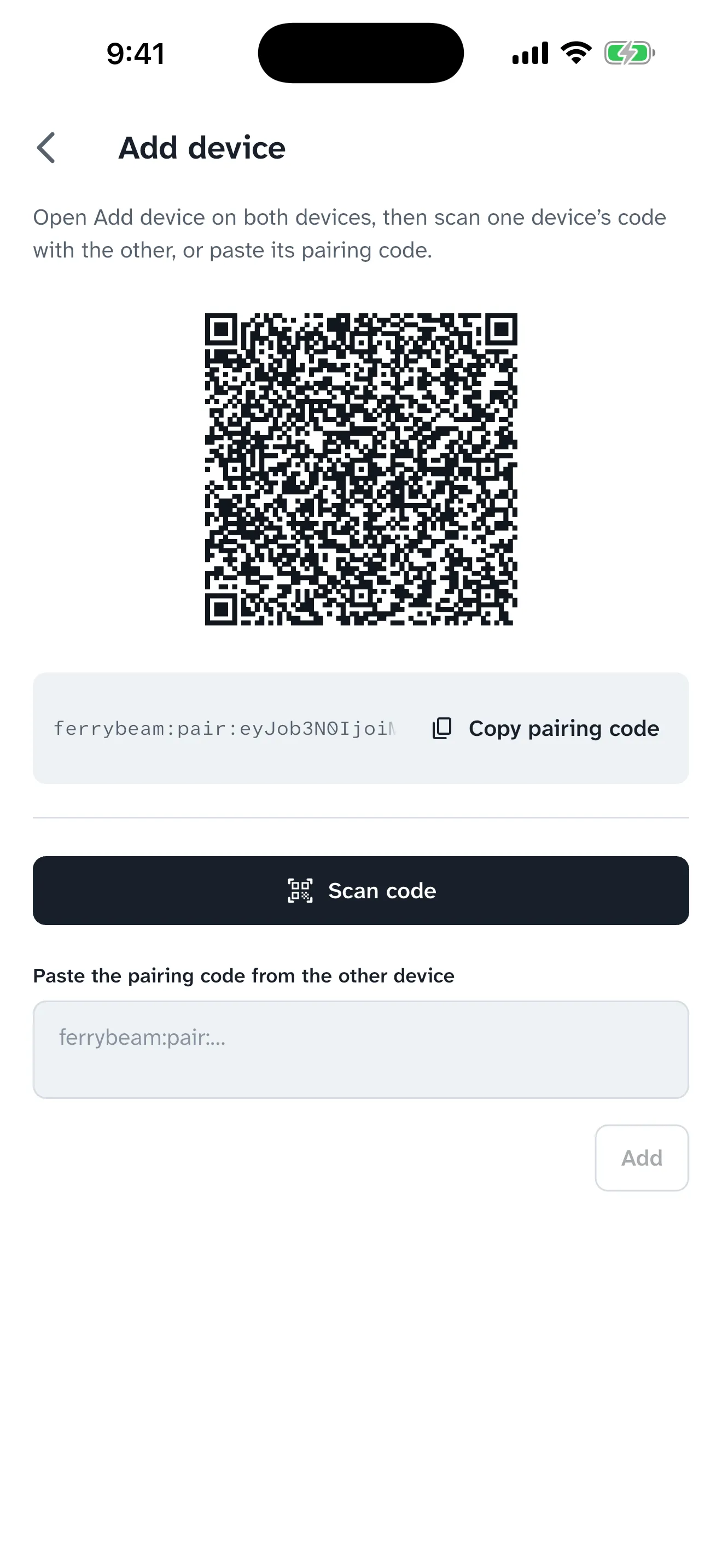
Add a device with one code.
There’s nothing to sign up for. Your devices pair with each other, once.
Open Add device on both
Each device shows a code and a button to scan one.
Scan one with the other
No camera on that device? Copy the pairing code and paste it instead.
Start sending
To add another device later, pair it with any device you already have.
Peer-to-peer, wherever your devices are.
Your files don’t go up to a cloud and back down. FerryBeam connects your devices to each other and picks the best path by itself, switching without interrupting what’s on its way.
Local network
Direct on the same Wi-Fi
Devices on the same network find each other and connect straight to each other at full speed. No internet needed.
Hole punching
Peer-to-peer across the internet
On different networks, both devices reach out through their routers at the same moment, opening a direct path between them. Data still goes straight from one device to the other.
Encrypted relay
A fallback that can’t read
When a network won’t allow a direct path, a relay passes the encrypted data along. FerryBeam moves to a direct path as soon as one opens.
Bluetooth LE
No network at all
Two devices close together connect over Bluetooth, with nothing to set up.
The details are taken care of.
- Picks up where it stopped
- A transfer interrupted by a network change or a restart resumes from where it left off.
- Reaches devices that are off
- Text sent to a device that’s switched off arrives as soon as it’s back.
- Delete everywhere
- Remove an item, and its file, from every device that received it in one step.
- Your files stay tidy
- Received files wait in FerryBeam until you save them where you want, and old ones are easy to clear.
- At home on every device
- Built natively for iPhone, Android, Mac and Windows, so it feels like it belongs on each one.
- Nothing to set up
- Every setting already has the best choice. Open it, pair, and send.
Only your devices can read what you send.
- End-to-end encrypted
- Everything is encrypted between your devices, whichever way it travels.
- Files never stay on our servers
- Files go from one device to another. Our servers only pass encrypted data along and never keep your files.
- No account, no strangers
- No email, no password, no contacts. A code from one of your own devices is the only way in.
- Lost a device?
- Remove it from your other devices and it receives nothing new.
Under the hood
- Connections
- QUIC with TLS 1.3, authenticated by device keys
- Identity
- An Ed25519 key per device, no accounts
- Offline text
- Sealed with X25519 and ChaCha20-Poly1305
- Files
- Verified end to end with BLAKE3
Questions
Do I need an account?
No. Install FerryBeam on your devices, pair them with a code, and start sending.
Is it really peer-to-peer?
Yes. Your devices connect to each other directly whenever they can, on the same Wi-Fi or across the internet through hole punching. Only when a network blocks every direct path does an encrypted relay pass the data along, and files are never stored on a server.
Does it work without the internet?
Yes. Devices on the same Wi-Fi connect without the internet, and two devices close together can use Bluetooth when there’s no network at all.
Can anyone else read what I send?
No. Everything is end-to-end encrypted, so only your devices can read it. Files are never stored on our servers.
Can I send something to a friend?
FerryBeam is for your own devices. A device joins only when you pair it with one you already have.
What if I lose a device?
Remove it on any of your other devices. It won’t receive anything new unless you pair it again.
Which devices does it work on?
iPhone, Android, Mac and Windows. There’s also a command-line version for Mac, Windows and Linux.